LabelForge review
Summary
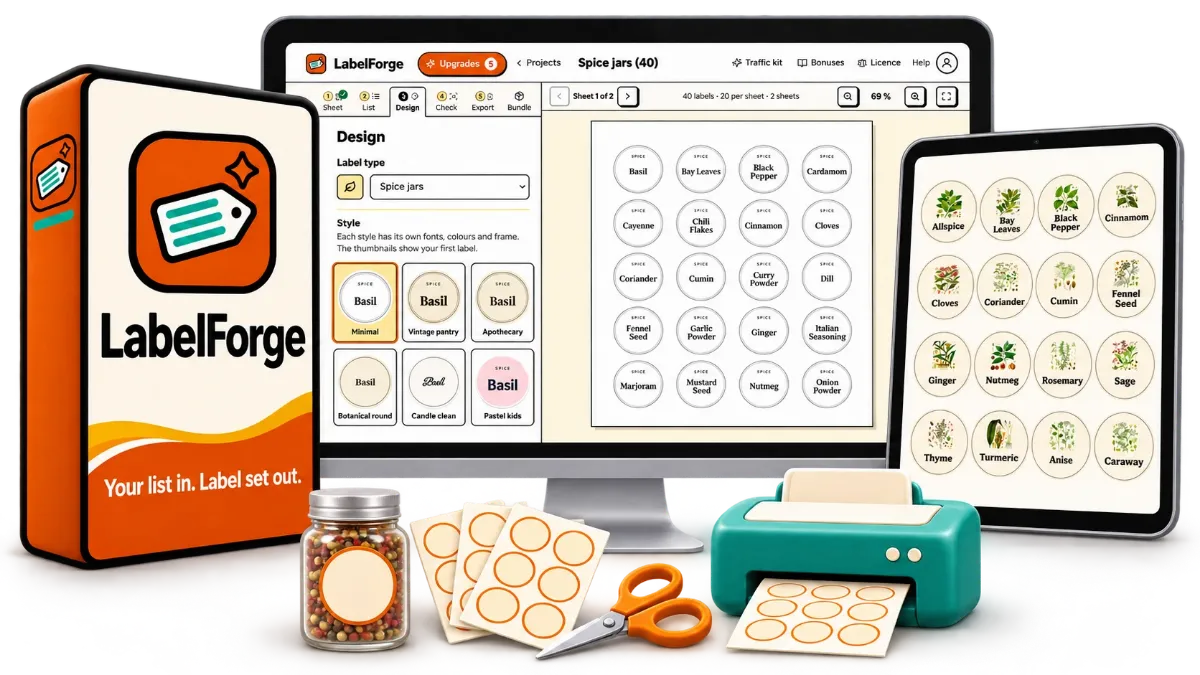
LabelForge is a browser-based label maker from Groovydigi that turns one typed list into a whole matching, print-ready label set — $17 one-time, no AI, no subscription. It lays out every label, checks each one for print problems, and exports a print-ready PDF plus PNGs.
- Best for: Printable sellers who sell label bundles on Etsy or their own shop, candle and soap makers who label their own products, and home organisers who want one matching set for the pantry, spice drawer or school supplies.
- Platforms: Browser app — Chrome, Edge, Firefox or Safari on a computer or tablet. No install, and it keeps working offline after you sign in. Not made for phones.
- Pricing model: One-time payment for the front end; five optional one-time upgrades after checko
- Price: $17.00 (USD, checked 17 Nov 2026; may have changed)
Overview
Quick answer: LabelForge does one small, specific job well: it takes the repetitive work out of making a matching label set. Making one nice label is easy. Making forty matching ones — retyping every name, resizing the long ones, placing each copy on the sticker sheet by eye, then printing a test sheet that lands half a label off — is the kind of slow, fiddly work that eats an evening. LabelForge automates exactly that part: the sheet layouts, the text fitting, the print check and the printer alignment. You keep the fun part — the list, the style and the look of your shop.
The honest position is this. Everything in this review is verified from the vendor's own sales page and JV page, both read in full before writing — the price, the funnel, the bonuses, the guarantee, and the things it cannot do. This is a research-based review: we have not used the app hands-on, and the review says so plainly. What we can say with confidence is that the vendor is unusually straight with buyers. The sales page lists what LabelForge does NOT do (no cut files, no barcodes, no phone editor, no Etsy listing help), admits that printers shift the page and that label rules for candles and food are your responsibility to check, and shows real sheets exported from the app instead of mockups. That kind of honesty is rare in a $17 launch, and it is worth more than the price.
The market it serves is real. The vendor checked Etsy and Google Trends on 8 November 2026 and found 1,000+ results on Etsy for each of pantry, spice, candle warning, kids' name and soap labels and Christmas gift tags, with Etsy's own Bestseller badge on printable Christmas pantry labels, kids' name labels and Christmas gift tags, and "in 20+ carts" shown on top printable listings. US searches for "gift tags" peak every December. Demand in a niche is not a promise that your listings will sell — what you sell depends on your designs, your shop and your marketing — but the buyers for label bundles clearly exist, and the launch lands on 20 November, right before the holiday season.
What is LabelForge?
LabelForge is a browser app that turns a list into a matching label set on common sticker sheets. You pick one of 6 label types — pantry and kitchen, spice jar, kids' names, candle warning, soap and bath, gift tags — and one of 12 common sticker-sheet layouts in US Letter or A4. You paste your list, one item per line, choose one of 10 styles, and add an image from the 100-image library (public-domain and CC0 art, line icons and original motifs, each with its source and license shown in the app), your own images, or your logo. LabelForge lays out every label, fits each name, can keep one text size across the whole set, and checks every label for print problems before you export.
The exports are the point of the tool: a print-ready PDF at the exact sheet size, a PNG of each sheet, and a ZIP of single-label PNGs. The PDF is drawn from the same measurements as the live preview, at the exact sheet size, with the fonts embedded — so what you see on screen is what prints. You may sell or give away the labels you make, including the library images in them, which is what makes this a tool for printable sellers rather than just a home organiser. You may not resell the app, its styles as a template set, or the image library as a collection.
The vendor is Groovydigi, a small team that says it builds focused tools for people who make and sell printables and digital products. LabelForge runs entirely in your browser, keeps your projects on your own device, and needs no AI and no API key. Your account is created right after checkout and your sign-in details are emailed from hello@groovydigi.com; you sign in at labelforge.groovydigi.com.
Key features
- List to labels: Paste or type your items, one per line, with an optional second line after a vertical bar (a Latin name, a scent). Edit any single label. A 40-spice list becomes a 40-label set in one pass.
- 6 label types: Pantry and kitchen, spice jar, kids' names, candle warning, soap and bath, gift tags. The styles and sheets work with all six.
- 10 styles: Minimal, vintage, apothecary, pastel and more, each with its own fonts, colours and frame. Change the accent colour or choose from 12 font pairs. One click restyles the whole set and fits every name again.
- 12 sheet layouts: Round, rectangle, square and oval labels on US Letter and A4, with cut lines on or off. The exact layouts are listed on the sales page — for example, US Letter round 1.5 in (20 per sheet), 2 in (12) and 2.5 in (9); rectangle 2 × 4 in (10), 1 × 2⅝ in (30) and 3⅓ × 4 in (6). They are generic layouts of common sizes, not tied to any paper brand.
- Print check on every label: The check looks for text overflowing its box, text under 6 pt, content within 1/16 in of the cut line, images too low in resolution for print, low-contrast text, and empty or duplicate items. Click a result and the app jumps to that label.
- Printer alignment page and offset: Print the alignment page on plain paper, hold it against your sticker sheet and enter the offset you see, in 1/32 in steps. The app remembers it for that paper size on your device and applies it to every PDF.
- PDF, PNG and label ZIP: A print PDF at the exact sheet size, a 300 dpi PNG of each sheet and a ZIP of single-label PNGs.
- 100-image library: Public-domain and CC0 art, line icons and original motifs for spice jars, pantry, Christmas, Halloween, Valentine's Day, Easter, baking, school and more, each with its source and license in the app. Upload one logo (a plain background is removed in your browser) and your own artwork or photos.
- Numbering and text blocks: Add "No. 01" numbering, a second line and a small footer line to any set.
- Private by design: No AI, no API key. Your projects stay in your browser on your own device, with backup files you can export.
- 5 bonuses inside the app: A print & cut guide, 100 label-bundle ideas, a bundle cost & pricing worksheet, a listing photo prompt pack and a customer print instructions template — $20 stated value each, $100 total.
How it works
The workflow, as described on the sales page, has three steps — and the vendor shows short screen recordings of the real app doing each one, with a fictional spice list.
- Choose your label type and sheet. Pick one of 6 label types and the sticker sheet you print on: 12 common layouts in US Letter or A4. The label size is set before you type, so every name is fitted to the real label.
- Paste your list and pick a style. One item per line, with an optional second line after a vertical bar, such as a Latin name or a scent. Edit any single label, choose from 10 styles and add an image from the library, your own artwork or a logo. The live preview shows the real sheets.
- Check, align and export. The print check marks any problem and jumps to the label. Print the alignment page once and set your printer offset. Then export the PDF, the sheet PNGs or a ZIP of single labels.
Two honest details from the sales page deserve repeating. First, the alignment page exists because printers shift the page slightly and each one differs — the vendor does not pretend printing is exact, and tells you to check one test print before a full run on sticker paper. Second, your projects live in your browser on your own device, and nothing you type or upload is sent to their server — but clearing your browser data deletes your projects, so you need to export a project backup file to keep a copy or move it to another device. That is a real limitation, and it is the kind of thing a buyer should know before they build their fiftieth set.
Pricing
LabelForge costs $17, one payment, for the front-end app — complete on its own, with unlimited projects, all six label types, the alignment page, the print check and every export. The 5 bonuses are included. There is no subscription, no API key and no credits. The purchase is protected by a 30-day money-back guarantee, no reason needed; a refund of the front-end purchase closes the account.
The funnel is five optional one-time upgrades, each at 50% commission for affiliates:
| Step | What it adds | Price |
|---|---|---|
| Front end: LabelForge | The app: list to labels, 6 label types, 10 styles, 12 sheet layouts, print check, PDF + PNG, 5 bonuses | $17 |
| OTO1: LabelForge Pro | 40 styles, custom sheet editor, QR codes, text blocks, 600 images, unlimited logos | $27 |
| OTO2: LabelForge DFY | 300+ spice and pantry names, room, scent and seasonal sets, 20 bundle setups | $37 |
| OTO3: LabelForge Agency | Saved client brands, client folders, client proof sheet, agency license, no credit line | $67 |
| OTO4: LabelForge Max | Bundle Builder (up to 500 labels in one bundle), listing preview images, batch export | $37 |
| OTO5: LabelForge Traffic Kit | Listing-text templates, tag-planning worksheet, 10 pin templates, seasonal calendar | $27 |
| Full funnel | $212 |
Two upgrade details matter. The Pro upgrade adds the custom sheet editor — any sheet size other than the 12 built-in layouts needs it. And the Agency upgrade removes the small "Made with LabelForge" line that front-end PDFs carry in the bottom page margin, outside the labels (PNG files never carry it). If you sell label bundles as PDFs, that credit line is on your product unless you buy Agency — a fair thing to know before you list your first bundle.
Who should use it
- Printable sellers who sell (or want to sell) pantry, spice, kitchen, kids' name and gift-tag label sets as digital downloads on Etsy, Shopify, Payhip or Gumroad. Label listings are often bundles — hundreds of labels in one download — and this is the tool that builds a bundle without retyping every name.
- Candle and soap makers who need matching labels for their own products, with their logo and editable example safety wording on each label.
- Home organisers and parents who want one matching set for the pantry, the spice drawer, school supplies, lunch boxes and toy bins, in one style.
- Helpers for local makers who make label sets for a friend's bakery or a local candle shop — though client work needs the Agency upgrade.
Who should skip it
- Anyone who wants AI to design the labels: LabelForge uses no AI. The styles are designed by the vendor, and the words are yours.
- Vinyl cutting machine owners who need SVG or DXF cut files — this tool makes printable labels only.
- Sellers who need barcodes on their labels, or who want the app to confirm that their label wording meets the rules for candles, cosmetics or food. Nobody can promise that for you, and this vendor does not try.
- Phone-only users: the editor needs a computer or tablet screen.
- Anyone who wants the app to list or sell their bundles on a marketplace for them. LabelForge makes the files; the shop is yours.
How we tested
This is a research-based review, and we say so plainly: we have not used LabelForge hands-on. Every fact in this review — the price, the funnel, the features, the bonuses, the guarantee and the limitations — comes from the vendor's own official sales page (groovydigi.com/labelforge/) and JV page (groovydigi.com/labelforge-jv/), both read in full on 17 November 2026, before the product launches. The sales page shows real sheets exported from the app and short screen recordings of the real app at work, and we cross-checked the funnel prices and commissions against the JV page's own table — the maths matches. We did not test the app, print a sheet, or speak to the vendor, and we have not invented any ratings, testimonials or user counts. The Etsy demand figures quoted are the vendor's own, from their 8 November 2026 check, and are labelled as such. If you buy through our link, we may earn a commission at no extra cost to you — that is how this site is funded, and it does not change what we write.
Final verdict
LabelForge is a small, honest tool that does exactly one job and says so. It will not make you money on its own, it will not design labels with AI, and it will not list your bundles on Etsy — and the vendor tells you all of that before you pay. What it does is take the slowest part of making a label set — retyping, resizing, placing and reprinting — and turn it into three steps: paste the list, pick a style, export the set. For $17 one-time, with a 30-day guarantee and no subscription, that is a fair price for printable sellers, candle and soap makers, and anyone whose pantry deserves a matching set. The catches are real but small and clearly stated: no cut files, no barcodes, no phone editor, projects that live in your browser, and a credit line on front-end PDFs. If you sell label bundles — or you have been meaning to start — this is the cheapest honest tool we have reviewed for the job. If you need cut files or AI design, skip it and keep looking.
Internal links
- If you sell printables on KDP too, our Detective Casebook Studio review covers the puzzle-book builder for the same low-content audience.
- For the other end of the author pipeline, our RoyaltyShelf AI review covers the AI book-writing tool that turns an idea into a finished manuscript.
- And when the book — or the label bundle — is ready, our BookBloom AI review covers the tool that markets finished books to readers.
Prices and features verified from the official sales page (groovydigi.com/labelforge/) and JV page (groovydigi.com/labelforge-jv/), read in full 17 Nov 2026. Launch: 20 Nov 2026, 09:00 EST, WarriorPlus.
Key features
- List to labels: paste a list, one item per line, and get a matching label set in one pass
- 6 label types and 10 styles on 12 US Letter / A4 sheet layouts
- Print check on every label for overflow, small text, cut-line, resolution and contrast problems
- Printer alignment page with offset in 1/32 in steps, remembered per paper size
- Print-ready PDF, 300 dpi sheet PNGs and ZIP of single-label PNGs
- 100-image library with source and license shown, plus logo and own-image uploads
- No AI, no API key; projects stay in your browser on your own device
- 5 bonuses inside the app ($100 stated value)
Pros
- Does one job, honestly: a matching label set from a list, with the sheet layouts, text fitting, print check and alignment built in. No hype, no income claims, no AI — the vendor says plainly what it is.
- The sales page is already live and unusually transparent: real exported sheets, exact sheet layouts with sizes, the full bonus list, and a whole section on what it does NOT do. You can judge the product before paying.
- One payment, no subscription: $17 once, no API key, no credits, no monthly fee. The front-end app is complete on its own — unlimited projects, all six label types, every export.
- Commercial use included: you may sell or give away the labels you make, including the library images, so the tool can pay for itself through printable bundles.
- Print check and alignment page: the two features that actually save sticker paper — problems are flagged on screen before you export, and the printer offset is set once and remembered.
- Holiday timing: gift tags are one of the six label types, and the launch lands on 20 November, just before the December gift-tag peak.
- 30-day guarantee, no reason needed: a refund of the front-end purchase closes the account.
Cons
- No cut files: LabelForge makes printable labels (PDF and PNG). It does not make SVG or DXF files for vinyl cutting machines, so Cricut and Silhouette users need a different tool.
- No barcodes: it does not make UPC or EAN barcodes, and the candle and soap warning text is editable example wording — the rules for candle, cosmetic and food labels are yours to check where you sell.
- No phone editor: it runs in Chrome, Edge, Firefox or Safari on a computer or tablet. The editor needs a computer or tablet screen, so you cannot build a set on your phone.
- Projects live in your browser: nothing is sent to the vendor's server, which is good for privacy — but clearing your browser data deletes your projects unless you export a backup file first.
- Front-end PDFs carry a credit line: exported PDFs have a small "Made with LabelForge" line in the bottom page margin, outside the labels. Only the $67 Agency upgrade removes it. PNG files never carry it.
- Only 12 sheet layouts in the front end: any other size needs the $27 Pro upgrade's custom sheet editor, and only one logo upload is included in the front end (Pro adds unlimited logos).
- No Etsy listing help: LabelForge makes the files; you list them in your own shop. It is not affiliated with Etsy or any marketplace.
How we tested
Research-based review: we have not used LabelForge hands-on. Every fact in this review — the price, the funnel, the features, the bonuses, the guarantee and the limitations — comes from the vendor's own official sales page (groovydigi.com/labelforge/) and JV page (groovydigi.com/labelforge-jv/), both read in full on 17 November 2026, before the product launches. The sales page shows real sheets exported from the app and short screen recordings of the real app at work, and we cross-checked the funnel prices and commissions against the JV page's own table — the maths matches. We did not test the app, print a sheet, or speak to the vendor, and we have not invented any ratings, testimonials or user counts. The Etsy demand figures quoted are the vendor's own, from their 8 November 2026 check, and are labelled as such.
Verdict
LabelForge is a small, honest tool that does exactly one job and says so. It will not make you money on its own, it will not design labels with AI, and it will not list your bundles on Etsy — and the vendor tells you all of that before you pay. What it does is take the slowest part of making a label set — retyping, resizing, placing and reprinting — and turn it into three steps: paste the list, pick a style, export the set. For $17 one-time, with a 30-day guarantee and no subscription, that is a fair price for printable sellers, candle and soap makers, and anyone whose pantry deserves a matching set. The catches are real but small and clearly stated: no cut files, no barcodes, no phone editor, projects that live in your browser, and a credit line on front-end PDFs. If you sell label bundles — or you have been meaning to start — this is the cheapest honest tool we have reviewed for the job. If you need cut files or AI design, skip it and keep looking.
Alternatives
Beginners and KDP publishers making bilingual books
RoyaltyShelf AI
Cloud-based AI publishing studio that creates bilingual children's books, workbooks, coloring books and puzzle books — in English paired with Spanish, French, German or Portuguese — and exports them as KDP-ready paperback, ebook and printable files, with a free commercial license included.
$14.00 one-time · checked on official page
Read review →Published authors and self-publishers who already have a book on Amazon, KDP sellers with a back catalogue gathering dust, and authors who know Pinterest exists but have never had a system for it
BookBloom AI
BookBloom AI is an AI-powered book marketing platform from Demetris Papadopoulos that turns a single Amazon book listing into a 30-day Pinterest promotion campaign — AI-written pins, headlines and captions, a book landing page, a publishing calendar and campaign tracking. It launched on 13 November 2026 on WarriorPlus at $17 one-time, with no monthly fee and lifetime updates.
$17.00 One-time payment during the launch; no monthly fee, lifetime updates · checked on official page
Read review →KDP publishers who want a puzzle-book shelf without drawing grids in Canva, Etsy sellers who sell printable puzzle packs, and beginners who have never published a book and want a finished interior in minutes
Detective Casebook Studio
Detective Casebook Studio is a browser-based builder from S M Sahabul (BundleCrafts) that generates complete, illustrated murder-mystery logic puzzle books — "whodunit casebooks" in the style of Murdle and Deadoku — ready to upload to Amazon KDP and sell as printables on Etsy. It launched on 14 November 2026 on WarriorPlus at $17 one-time, with two upsells at $27 and $37, no monthly fee and no AI
$17.00 One-time payment during the launch; no monthly fee, no API credits · checked on official page
Read review →FAQ
What exactly is LabelForge?
A browser app from Groovydigi that turns a list into a matching label set. You choose a label type, a style and a sticker-sheet layout; it lays out every label, checks each one for print problems and exports a print PDF, a PNG of each sheet and a ZIP of single-label PNGs. It launches on 20 November 2026 on WarriorPlus for $17 one-time.
Is LabelForge the same as DuraLabel's LabelForge PRO?
No. DuraLabel's LabelForge PRO is industrial label-printing software for warehouses and chemical labelling, and "Easy Label Forge" is an Adobe Illustrator packaging plugin. This review is about the browser-based label maker by Groovydigi, launching 20 November 2026 on WarriorPlus — a different product, for printable sellers and small makers.
Does LabelForge use AI? Are there monthly fees?
No and no. LabelForge uses no AI and needs no API key. One payment of $17, no subscription, no credits. The front-end app is complete on its own, and your projects stay in your browser on your own device.
Which sticker sheets does it support?
12 common layouts in US Letter and A4 — round, rectangle, square and oval labels, with cut lines on or off. They are generic layouts of common sizes, not tied to any paper brand. Any other size needs the custom sheet editor in the $27 Pro upgrade.
Can I sell the labels I make?
Yes. You may sell or give away the labels and printables you make with LabelForge, including the library images in them. You may not resell, share or give away the app, its styles as a template set or the image library as a collection. Note that front-end PDFs carry a small "Made with LabelForge" line in the bottom margin — the $67 Agency upgrade removes it.
Will my labels line up when I print?
Printers shift the page slightly, and each one differs. LabelForge gives you an alignment page to print on plain paper and an offset setting in 1/32 in steps. Once you enter your offset, it is applied to every PDF you export on that device. Check one test print before printing a full run on sticker paper.